What the Windows DNS and FTP hosting panel manages#
StackRegent serves DNS with the Microsoft DNS Server role that ships with Windows Server. It is part of the default install, and the panel installs it with recursion switched off, so the server answers only for the zones it hosts and cannot be abused as an open resolver. When a subscription or domain is created, the panel creates its primary zone from a template, so a new customer domain has working web, mail and webmail records from the first minute.
The administrator manages server-wide DNS under Tools & Settings › DNS Settings, which has five tabs: Zone Records Template, SOA Records Template, Transfer Restrictions, Zones and Server-wide Settings. If the DNS role is missing, the page says so and links to Server Components.
Zone templates with mail records included#
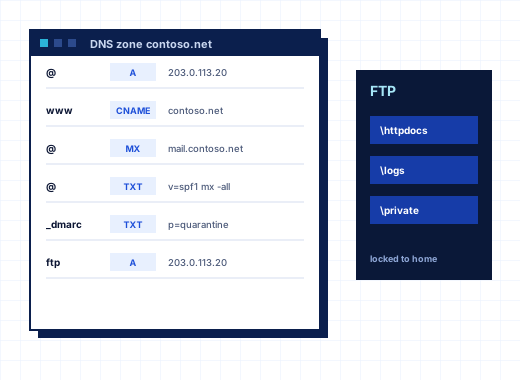
The Zone Records Template sets the records every new zone gets. The default template is ready for web and mail hosting:
| Host | Type | Value |
|---|---|---|
<domain> | A and AAAA | the subscription's IPv4 and IPv6 address |
www.<domain> | CNAME | <domain> |
mail.<domain>, webmail.<domain> | A | the subscription's IP address |
ftp.<domain> | CNAME | <domain> |
ns1.<domain>, ns2.<domain> | A | the subscription's IP address |
<domain> | NS | ns1.<domain>, ns2.<domain> |
<domain> | MX | 10 mail.<domain> |
<domain> | TXT | v=spf1 +a +mx -all |
_dmarc.<domain> | TXT | v=DMARC1; p=none |
Placeholders are <domain>, <ip>, <ipv6> and <hostname>. A row whose placeholder has no value is skipped, so subscriptions without IPv6 simply get no AAAA record. Records can be added, edited or removed, and each change applies to new domains. Apply to All Zones rebuilds every primary zone from the template, which overwrites customer records and should be used with care; Restore Defaults returns the template to StackRegent's own records without touching existing zones.
The SOA Records Template holds default TTL, refresh, retry, expire and minimum TTL, the administrator email (empty means hostmaster@ the zone) and the serial number format, either YYYYMMDDnn or a Unix time stamp. Any single zone can override these through its SOA Record button.
Name servers and secondary DNS#
The default template creates ns1 and ns2 host names inside each customer domain, pointing at the subscription's IP address. Customers see the name servers to enter at their registrar in the website's Connection Info tool. Providers who prefer their own branded name servers or a separate DNS cluster change the NS and A rows of the template once.
For redundancy, list the IP addresses of secondary name servers under Transfer Restrictions. They may copy every zone with a zone transfer and are notified when zones change. With the list empty, all zone transfers are refused. A single zone can also be switched to Secondary, copying from another primary server's IP address, or turned off.
Server-wide Settings controls recursion: off for hosted zones only (the default), on for this server and listed networks, or open to everyone, which the panel labels as not recommended. Forwarders can be set for recursive queries. Allowing recursion for the server itself is useful when SpamAssassin needs to query DNS block lists directly, while the server stays closed to everyone else. The Zones tab lists every zone with type, serial and state, and Write All Zones Again rewrites them all to the DNS Server if a zone shows an error.
DNS records for customers#
When their plan includes DNS zone management, customers manage their own zone in the website's DNS Settings tool. They add A, AAAA, CNAME, MX, NS, TXT, SRV, CAA and PTR records, with priority, weight and port fields for MX and SRV, and an optional TTL. Changes reach the DNS Server within a few seconds of saving. Search records finds entries in a large zone, and Reset to Default rebuilds a zone from the template.
Two protections stop one customer from interfering with another's names. Restrict Creation of Subzones prevents shop.example.com being added by someone who does not own example.com. Prohibited Domain Names blocks domains such as gmail.com, and can refuse domains that already resolve to other servers.
When DNS is hosted somewhere else#
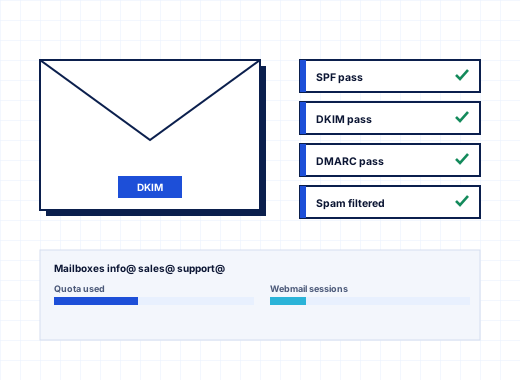
Not every customer moves their DNS. If a domain's zone lives at a registrar or an external DNS service, its Connection Info tool says that this server does not serve the zone, and records have to be changed at that provider. The panel still helps: the mail settings card shows the exact DKIM TXT record to add there, and the customer can switch the local zone's DNS Service off so the two copies do not drift apart. When a customer later moves DNS to the server, Create the zone builds it from the template in one click.
Mail-related records are covered in detail on email hosting, including how DKIM keys are published automatically.
IIS FTP with user isolation and FTPS#
FTP runs on the Microsoft FTP Service, the FTP server built into IIS. Every subscription logs in to the server's FTP site, and with user isolation each login lands in its own webspace and cannot browse above it. Settings are under Tools & Settings › FTP Settings:
- Passive port range, 49152 to 65535 by default, opened in Windows Firewall as a fixed rule, because the firewall's FTP helper cannot read an encrypted control connection
- External IP address for servers behind NAT, announced in passive replies
- FTP over TLS (FTPS): allow both plain FTP and FTPS, or require FTPS so passwords are never sent in clear text
- the certificate FTPS and Web Deploy present, either the panel's own or one from the server pool
- an optional Welcome message; left empty, the server says nothing about its software
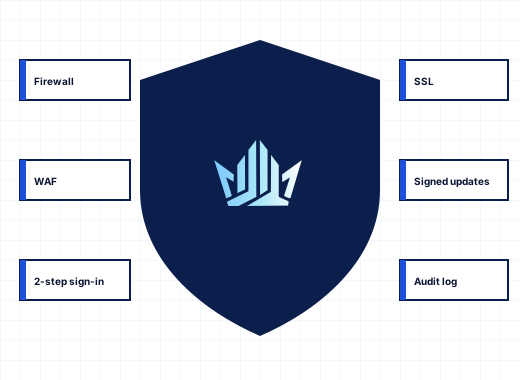
Active FTP Sessions shows who is connected, from which address, since when, the last command and bytes transferred, with Close to end a session. FTP logins are also watched by IP Address Banning, so repeated failures lead to a firewall ban. See security.
FTP accounts for customers#
Customers open FTP Access to see the connection details: server, port 21, the encryption in use, the main login (the subscription's system user) and the folder it opens in. FileZilla and WinSCP connect with FTP over explicit TLS.
Additional FTP accounts#
A developer or designer can have a login limited to one folder:
- On FTP Access, click Add FTP account.
- Enter a login that is unique on the server and a password of at least 8 characters.
- Enter the Home folder, which the account cannot leave; it is created if missing.
- Tick Read only for an account that may download but not upload or delete.
- Click Create.
The panel does not keep the password after creating the account. The service plan sets how many additional accounts a subscription may have.
Anonymous FTP#
When the plan includes anonymous FTP and the subscription has a dedicated IP address, customers can allow anonymous logins. Visitors see the anon_ftp/pub folder and, if uploads are allowed, can write to anon_ftp/incoming. A welcome message, a connection limit and a speed limit can be set.
For users who would rather not use FTP at all, File Manager in the panel uploads, edits, zips and extracts files in the browser, and Web Deploy publishes straight from Visual Studio; both are described on websites and IIS.
To try the Windows DNS and FTP hosting panel, start the 10-day trial. The installer sets up DNS and FTP by default.
Frequently asked questions
Is the StackRegent DNS server an open resolver?
No. Microsoft DNS Server is installed with recursion off, so it answers only for zones it hosts. You can allow recursion for the server itself and listed networks, and the panel marks an open resolver for everyone as not recommended.
How do I set up secondary DNS for my zones?
Enter the IP addresses of your secondary name servers under DNS Settings, Transfer Restrictions. They may then transfer every zone and are notified of changes. With the list empty, zone transfers are refused.
Can I use my own name servers like ns1.myhosting.com?
Yes. Edit the NS and A rows of the Zone Records Template so new zones point at your name servers. Apply to All Zones can rebuild existing zones from the template, but it overwrites records customers added.
Does StackRegent support FTPS?
Yes. The Microsoft FTP Service offers FTP over explicit TLS on port 21. Under FTP Settings or Security Policy you can allow both plain FTP and FTPS, or require FTPS so no password travels in clear text.
Why do FTP directory listings hang?
Usually the passive port range is blocked by a firewall outside the server, or the server is behind NAT without the External IP address set. StackRegent opens the range in Windows Firewall, but you must open the same range in any external firewall.
Can I give a developer FTP access to only one folder?
Yes. Create an additional FTP account with that folder as its home folder; the account cannot leave it. Tick Read only if the developer should only download files.