Windows hosting control panel for IIS, mail, DNS and databases
Run websites, mail, DNS and databases on Windows Server 2016, 2019, 2022 and 2025 from one panel, with separate logins for administrators, resellers and customers.
Everything a Windows hosting server runs, in one place
IIS sites with their own application pools, PHP and ASP.NET side by side, MailEnable mail, SQL Server and MariaDB, Microsoft DNS, FTP, backups and limits per subscription. See every feature.
Unlimited domains on every planLicenses count hosting accounts only. Domains, mailboxes and databases inside each account are unlimited, from the smallest plan up.
Reseller panel on every planResellers get their own customers, service plans and branding, with a hard stop when their reseller plan is full.
WordPress ToolkitInstall, update with a restore point first, harden, back up, stage and copy WordPress sites across the server.
Scheduled backups to S3, SFTP and FTPServer, client and subscription backups on a schedule to S3-compatible storage, SFTP or FTP/FTPS, tested before saving.
CPU, memory, disk I/O and process capsEach subscription runs in a Windows job object with its own caps, limit-reached counters and server-wide defaults.
IP Address Banning, RDP includedBrute-force guard for Remote Desktop and Windows logons, the panel, FTP, mail and protected folders, with banned and trusted lists.
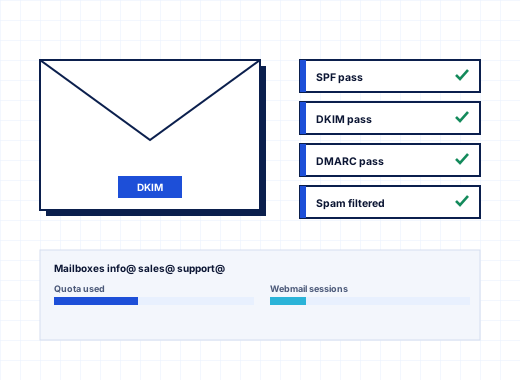
Spam filter and mail virus scanningSPF checks, DNS block lists, greylisting and optional SpamAssassin, plus Microsoft Defender scanning of mail queues and mailboxes.
Malware scanning of website foldersMicrosoft Defender keeps scanning the folders where uploaded web shells and infected plugins land, with database files excluded.
Compare
StackRegent beside Plesk, SolidCP and cPanel
Tables with the facts each vendor publishes, including the rows where the others are ahead.
Move from Plesk for Windows without losing a password
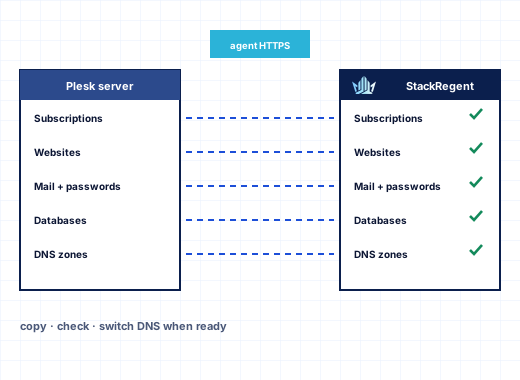
The migration reads your Plesk server through a small agent and copies subscriptions with their websites, mail, databases and DNS, keeping every customer, mailbox and database password.
Install StackRegent on a new Windows Server.
Connect the Plesk server and pick the subscriptions to move.
Migrate websites, mail, databases and DNS, with passwords.
Switch DNS or IP addresses when the copies check out.
What StackRegent is: a Windows hosting control panel built around IIS#
StackRegent turns a Windows Server into a hosting platform you can sell from or run your own projects on. You create a subscription once, and the panel builds everything that belongs to it: the IIS site and application pool, a dedicated Windows user, the webspace with its NTFS permissions, the DNS zone in Microsoft DNS Server, the MailEnable post office and the database logins. Later changes happen in the panel instead of in IIS Manager, DNS Manager and the MailEnable console.
It runs on Windows Server 2016, 2019, 2022 and 2025, including Server Core, where IIS Manager and the tray app are not available. The panel is a single stackregent.exe written in Go with its interface embedded, served over HTTPS on port 9443. Three Windows services do the work: StackRegent serves the panel, StackRegentTask runs queued jobs, and StackRegentGuard watches failed logins. The panel keeps its own data in a private MariaDB instance bound to 127.0.0.1:8306, separate from customer databases, and encrypts the secrets it has to reuse with Windows DPAPI.
What it hosts:
IIS 10 websites with HTTP/2 on every supported version, plus TLS 1.3 and optional HTTP/3 on Windows Server 2022 and 2025
ASP.NET 4.x, the ASP.NET Core Hosting Bundle, several PHP 8.x versions side by side, and Node.js through iisnode
MailEnable Standard with Roundcube webmail on webmail.<domain>
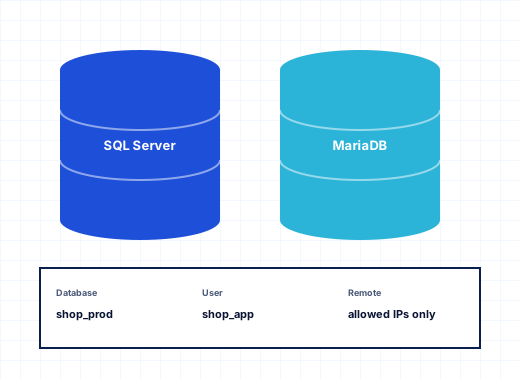
Microsoft SQL Server Express and MariaDB, local or on remote servers
Microsoft DNS Server zones and the Microsoft FTP Service with FTPS
Windows hosting providers who sell shared or reseller hosting on IIS and want an account-based license instead of a domain count. Customers can add as many domains, mailboxes and databases as their service plan allows without moving you into a more expensive license.
Resellers and agencies who look after dozens of client sites. Each client gets a separate login that shows only their own subscriptions, while the agency keeps one view of everything and can open any client's panel to help.
Companies running their own Windows servers for ASP.NET line-of-business sites or a few public websites. The Power User view hides customers, resellers and service plans, leaving a panel for managing your own sites.
Providers leaving Plesk for Windows who want to keep the same structure of customers, subscriptions and service plans and move accounts without rebuilding them by hand. The migration tools are described further down this page.
Administrator, reseller and customer panels in one product#
All three levels use the same login page at https://SERVER:9443/ and the same interface, with menus that match each role.
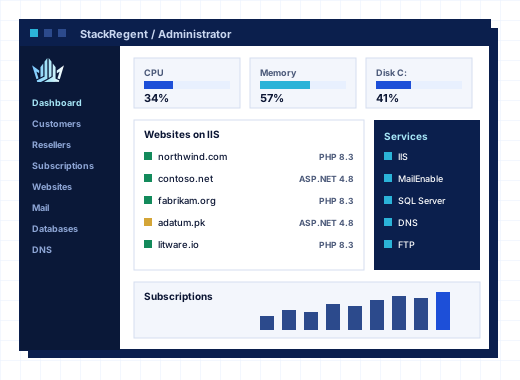
The administrator manages the server and every account on it. Tools & Settings holds server-wide configuration: Server Components, PHP and ASP.NET settings, the firewall, the Web Application Firewall, mail server settings, DNS and FTP templates, the Backup Manager, the Migration & Transfer Manager, updates and the license. The Home dashboard shows CPU, memory, disk, services that should be running, certificates that expire within 30 days and subscriptions over their limits. Additional administrator accounts give support staff their own logins.
A reseller works inside a reseller plan that sets totals for customers, subscriptions, disk space, traffic, domains, mailboxes and databases. Within those totals the reseller creates customers, builds their own service plans and add-ons, puts their own title, logo and favicon on the panel their customers see, logs in to a customer's panel, and creates API keys for a billing system. With overselling off, the panel refuses a plan that would push the reseller past their totals. With overselling on, the administrator gets a notice, at most once a month per limit, when real usage goes over.
A customer sees Home, Websites & Domains, WordPress, Users and Account. Inside a subscription they get File Manager, FTP access, mail, databases with a SQL console, scheduled tasks, backups, statistics, resource usage and the website tools. Customers can add their own panel users with the roles Domain Administrator, WebMaster, Application User, Accountant and Mail User, or up to 50 custom roles. A Mail User sees only My Mailbox, where they change their password, forwarding and auto-reply.
StackRegent has one feature set. A Solo license and an Unlimited license run the same code with the same tools; the only difference is how many subscriptions the server may host. That includes the parts other panels split into editions or sell as add-ons:
the reseller panel with branding and overselling controls
the WordPress Toolkit across every site on the server: plugins, themes, security hardening, backups, staging and copies
one-click Joomla, Drupal, phpBB and DNN, plus Git deployment, PHP Composer and a Laravel toolkit
the Backup Manager with schedules and remote storage on FTP, FTPS, SFTP or S3-compatible services
the ModSecurity Web Application Firewall with the OWASP Core Rule Set 4
IP address banning for Remote Desktop, the panel, FTP, mail, SQL Server and MariaDB
Monitoring with per-minute graphs and email alerts, the Advisor and Diagnose & Repair
the REST API with an OpenAPI 3 description and keys for administrators, resellers and customers
the Migration & Transfer Manager for Plesk for Windows and other StackRegent servers
language packs, themes and custom buttons
For comparison, Plesk's 2026 customer licensing guide describes three editions: Web Admin for up to 10 domains with WP Toolkit Lite and no customer or reseller management, Web Pro for up to 30 domains, and Web Host with unlimited domains and reseller management. The same guide lists feature packs (such as Power Pack, Developer Pack and Server Security Pack), additional language packs and add-ons such as Backup to Cloud Pro as items bought separately. Check which of those your Windows servers use today before you compare costs.
Isolation and resource limits for every subscription#
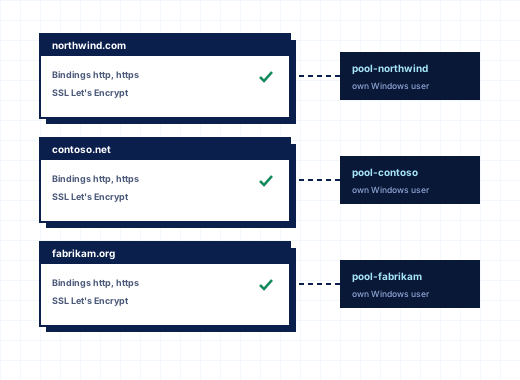
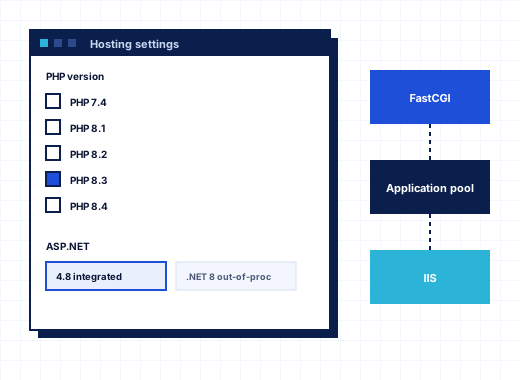
Every StackRegent subscription runs under its own Windows user, in its own IIS application pool, inside a webspace that only that user, SYSTEM and Administrators can open. PHP runs through FastCGI as the same user, with uploads, temp files and sessions kept in the subscription's own tmp folder.
On top of isolation, the panel places each subscription's processes (websites, PHP and scheduled tasks) in a Windows job object that caps CPU, memory, disk read and write speed, disk operations and process count, much like CloudLinux LVE does on Linux. A Limit reached counter shows how many minutes in the last 24 hours an account hit a cap. The Account Isolation page runs seven tests per subscription, including a test that runs as the subscription user and tries to open another account's files, and repairs what fails with one click. Details are on resource limits and isolation.
The security tools sit in one group under Tools & Settings:
Firewall manages Windows Defender Firewall per service. Every change must be confirmed within 60 seconds, or the previous rules come back, so a wrong rule cannot lock you out of a remote server. Panic mode blocks everything except the panel and Remote Desktop.
IP Address Banning bans addresses that keep failing to log in to RDP, the panel, FTP, SMTP, POP3, IMAP, protected folders, SQL Server or MariaDB.
Web Application Firewall runs ModSecurity with the OWASP Core Rule Set in off, detection-only or blocking mode, per server or per website.
Security Policy sets password rules, whether FTPS is required, and the TLS versions and ciphers the panel accepts. TLS 1.0 and 1.1 are never offered.
Two-factor authentication for administrators, IP restriction of administrator logins and session idle time.
Microsoft Defender scans website folders and mail, with database files excluded so scans do not slow down queries.
The Migration & Transfer Manager connects to a Plesk for Windows server over HTTPS through a small migration agent or the StackRegent Migrator Plesk extension. Neither changes anything in Plesk. It moves customers, resellers, service plans, domains, website files, databases with their users, mailboxes with their messages, FTP accounts and scheduled tasks, one subscription at a time. The agent reads the passwords Plesk stored encrypted, so customers keep their logins. Shortly before the DNS switch you run the transfer again to copy the latest files, databases and mail.
When the two servers cannot reach each other, upload a Plesk backup instead: Windows .xml.zip and Linux .tar backups both restore. Another StackRegent server can be the source too, using an API key. The migration page walks through the steps, and for a planned move you can ask about migration help.
Licensing, signed updates and what happens if a license lapses#
A license key (format SR-XXXXX-XXXXX-XXXXX-XXXXX) covers one server and is bound to its Windows machine ID. The panel checks it every 24 hours with the license server; if a check fails, it retries after an hour and then every 6 hours. If the license server cannot be reached, the panel keeps working through a grace period and shows a banner with the date it works until.
If a license lapses, the panel enters restricted mode: administrators see only the License Information page and cannot add accounts or install updates. Websites, mail, DNS, databases and the customer and reseller panels keep working, so a billing problem never takes customer sites offline.
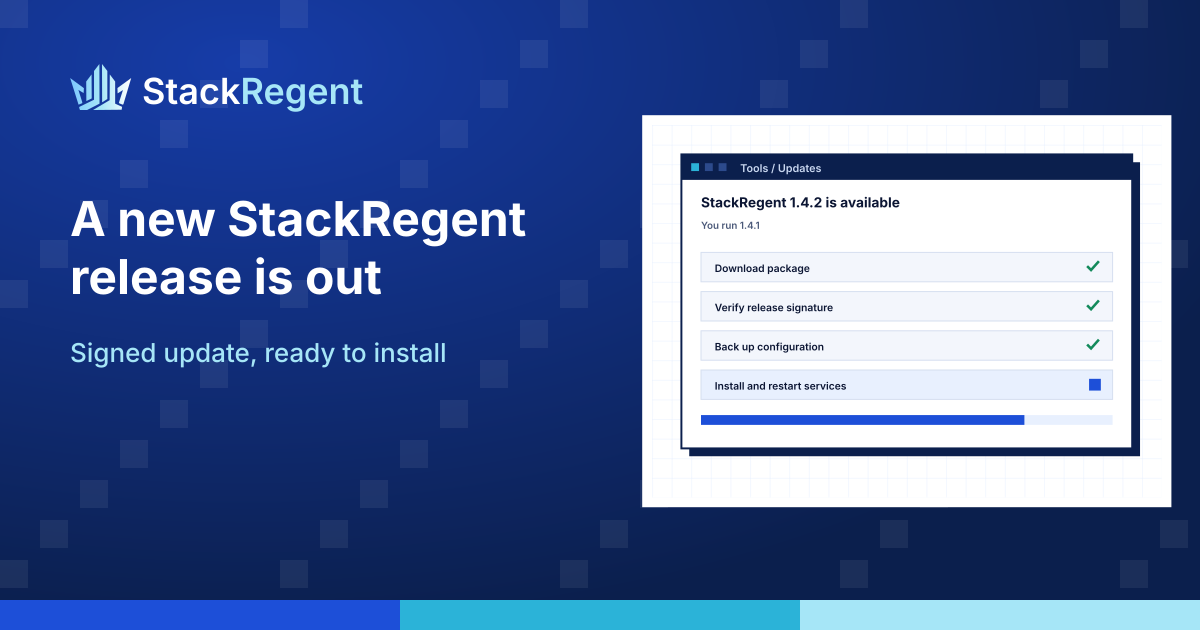
Updates are free while the server is licensed. They come only from the license server, and before a package is installed the panel checks its size, its SHA-256 checksum and its signature against the StackRegent release key built into the panel. You can install updates by hand, let them install at night after the daily check, or get an email when a release appears. What changed in each version is in the release notes. Moving to new hardware is a reissue in the client area, after which the next check binds the key to the new machine. More on licensing and updates.
Plans count hosting accounts, which the panel calls subscriptions. Every plan has every feature. Domains, mailboxes and databases inside a subscription are limited only by the service plans you create, not by the license. You choose monthly or yearly billing. Current plans and prices are listed below and on the pricing page.
How to start with a free trial and the one-line installer#
The trial runs for 10 days with 3 subscriptions and the full feature set, and it does not ask for a card. Use a fresh Windows Server 2016, 2019, 2022 or 2025 machine with internet access.
The script activates the license, downloads the newest stable release, checks its size, checksum and signature, and installs IIS, the panel and the default components: URL Rewrite, DNS, FTP, Web Deploy, PHP, MailEnable, Roundcube, MariaDB and phpMyAdmin. Nothing is installed if a check fails.
Open https://SERVER:9443/ and log in as admin with the password the installer printed. Change the password, turn on two-factor authentication, then enter a panel host name and secure the panel with Let's Encrypt under Tools & Settings › SSL/TLS Certificates.
Step 4: Create a service plan and the first subscription#
Add SQL Server Express, ModSecurity or other components from Server Components if you need them, build a service plan, and create a subscription to test a real site. The installation guide covers requirements, the zip installer and its options.
Plesk and cPanel are trademarks of WebPros International GmbH; other names belong to their owners.
Frequently asked questions
What is a Windows hosting control panel?
It is software that manages the services of a Windows web server, such as IIS sites, application pools, DNS zones, mail, FTP and databases, from a browser. It also adds accounts and limits, so one server can host many customers who each see only their own sites. StackRegent does this for Windows Server 2016 to 2025.
Which Windows Server versions does StackRegent support?
Windows Server 2016, 2019, 2022 and 2025, including Server Core. HTTP/2 works on all four. TLS 1.3 for websites and optional HTTP/3 need 2022 or 2025, and Git over SSH uses the OpenSSH client built into 2019 and later.
Is StackRegent free?
No. StackRegent is licensed per server, priced by the number of subscriptions it hosts. You can try it free for 10 days with 3 subscriptions and every feature, without a card. See pricing for the plans.
Can I run ASP.NET and PHP sites on the same server?
Yes. Each subscription has its own application pool, and each website picks ASP.NET 4.x, PHP or Node.js. Several PHP 8.x versions run side by side, and the ASP.NET Core Hosting Bundle can be installed in more than one version. See ASP.NET and PHP hosting.
Do my customers' websites go down if the license expires?
No. A lapsed license puts the panel in restricted mode, where administrators can open only the license page and cannot add accounts or install updates. Websites, mail, DNS, databases and the customer and reseller panels keep running until the license is put right.
Can I move my accounts from Plesk for Windows?
Yes. The Migration & Transfer Manager pulls subscriptions live from Plesk for Windows over HTTPS without changing the Plesk server, and customers keep their passwords. You can also restore Plesk backups in Windows .xml.zip or Linux .tar format. See migration.
Does StackRegent manage SQL Server databases?
Yes. It installs SQL Server Express as the SQLEXPRESS instance on port 1433 or connects to a remote SQL Server, creates databases and logins for each subscription, and can hide other customers' databases from SQL Server Management Studio. MariaDB is managed alongside it. See SQL Server hosting.
Does StackRegent work on Linux?
No. StackRegent is built only for Windows Server and IIS. It relies on Windows features such as job objects, NTFS permissions, Windows Defender Firewall and DPAPI, so it does not run on Linux.
Run your hosting business on StackRegent
Start the free trial on your own Windows Server: every feature, three accounts, no card. Migrate a few sites from Plesk, check them, then switch when you are ready.